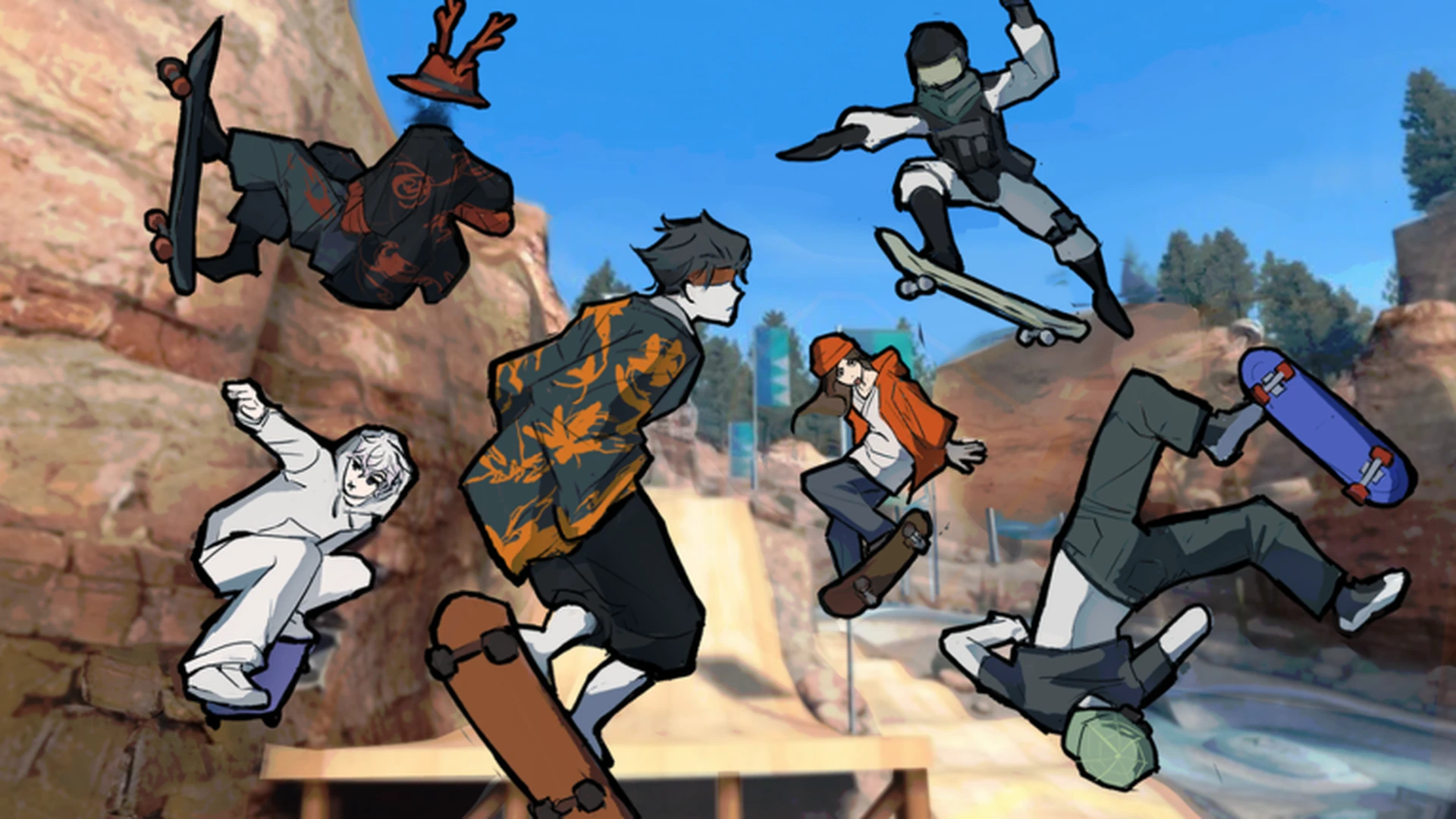
- Kickflip basics: The kickflip in Skate Tree combines a jump, a flick input, and a controlled landing.
- Best practice spot: Use the open Main Skate Area before trying kickflips on rails or ledges.
- Timing matters: Flick too early or too late and the board will not complete its rotation.
- Controller recommended: The developer notes Skate Tree plays best on a controller.
- Progress check: Land ten clean flat-ground kickflips before adding them into lines.
What a Kickflip Is in Skate Tree
The kickflip is one of the first flip tricks new skaters want to learn, and Skate Tree treats it as a core building block for longer trick lines. At its simplest, a kickflip is a jump where the board spins along its long axis beneath your character before you catch it and land. In Skate Tree, the trick follows the same general pattern as other flip tricks: set your feet, pop the jump, flick the board, and prepare for touchdown.
Because Skate Tree is a street-skateboarding game built around spots and Spot Battles, a reliable kickflip opens up combination potential. Once you can land it consistently on flat ground, you can take it onto ledges, over gaps, and into multi-obstacle lines that score better in battle sessions.
Learn basic movement, jumping, and landing recovery first. Trying a kickflip before you can control simple jumps usually leads to repeated failed landings and slower progress.
Kickflip Input Reference by Platform
Exact button prompts in Skate Tree can depend on your platform and the on-screen prompts the game displays, so treat this table as a general framework rather than a fixed mapping.
| Phase | Keyboard Input | Controller Input | Difficulty |
|---|---|---|---|
| Setup / approach | Standard movement keys | Left stick | Basic |
| Pop the jump | Jump key shown by the game | Jump button assigned in settings | Basic |
| Flick the board | Trick input shown on-screen | Trick input shown on-screen | Intermediate |
| Catch the board | Release or adjust inputs | Center the stick | Intermediate |
| Land and roll away | Adjust movement input | Steer with left stick | Intermediate |
The official game description states that Skate Tree plays best on a controller. If you are struggling with flick timing on keyboard, testing a controller layout is worth the switch before assuming the trick itself is the problem.
Step-by-Step Kickflip Tutorial
Follow this progression in order. Each step builds on the last, so do not skip ahead until the previous step feels repeatable.
Pick a Flat, Open Practice Area
Start in the Main Skate Area or a spacious open section of the map. Flat ground removes ramps, rails, and ledges from the equation so you can focus purely on flick timing and landing. Give yourself a long, straight runway so you approach at a consistent speed.
Set Your Approach Speed
Push to a moderate, controlled speed. Approaching too fast makes the landing harder to steer, while barely moving gives you no momentum to roll away cleanly. Repeat the same approach speed every attempt so your timing stays consistent.
Pop the Jump With Committed Timing
Initiate the jump the same way you would for a normal ollie-style hop. Commit fully to the pop, because a half-hearted jump produces a low, slow board rotation that is much harder to catch cleanly.
Flick the Board at the Right Moment
Immediately after the pop, input the kickflip flick as shown by the on-screen prompt. The flick window is short, so the two inputs should feel almost chained together. Flicking too early usually kills the rotation; flicking too late leaves the board under-rotated when you come down.
Catch and Land With Control
Watch the board's rotation, then neutralize your inputs as it completes. Release or center your directional input so the board locks beneath you at touchdown. Steer gently on landing to roll away instead of stalling or bailing.
Holding directional input through the entire trick is the number one cause of failed kickflips. Let the board finish rotating before you commit your landing inputs.
Troubleshooting Failed Kickflips
Almost every failed kickflip falls into one of a few recognizable patterns. Identify which failure you are experiencing, then apply the matching fix.
| Symptom | Likely Cause | Fix |
|---|---|---|
| Board does not flip at all | Flick input missing or too early | Chain the flick directly after the pop, treat them as one motion |
| Board flips only halfway | Weak pop or late flick | Commit harder to the jump and flick sooner |
| Board flips but lands ahead of you | Too much speed, drifting forward | Slow the approach and center directional input |
| Board flips behind you | Flick input pulled backward | Keep the flick clean and separate from steering |
| You land then immediately bail | Landing inputs held through touchdown | Neutralize inputs, then steer after you roll away |
Rotation Problem
- Focus: Pop and flick timing
- Drill: Stationary jumps with no movement
- Goal: Full board rotation every attempt
Position Problem
- Focus: Approach speed and drift
- Drill: Repeat identical runway approaches
- Goal: Board lands directly beneath you
Landing Problem
- Focus: Input release at touchdown
- Drill: Practice neutral catches without steering
- Goal: Clean roll-away every time
When you can land roughly eight to ten kickflips out of ten attempts on flat ground, you are ready to bring the trick into street spots and Spot Battle lines.
Taking the Kickflip Into Lines and Battles
Once flat-ground kickflips are consistent, the trick becomes far more valuable as a line component. In Skate Tree's Spot Battles format, chained tricks and multi-obstacle lines are what separate decent scores from strong ones.
- Ledge kickflips: Pop the kickflip off a ledge edge so the flip happens over the drop, adding style and airtime.
- Gap kickflips: Use a small gap or elevation change so the board completes its rotation before you descend.
- Line chaining: Land a kickflip, roll straight into a rail or ledge grind, and keep the line moving without stopping.
- Speed control: Keep entry speeds moderate; over-speeding into a kickflip before a rail usually forces a bail mid-line.
Plan the route in sections. Practice each obstacle separately first, then connect them once every individual piece, including the kickflip, is reliable.
Kickflip Practice Milestones:
- Land a first clean flat-ground kickflip
- Land ten flat-ground kickflips in one session
- Kickflip off a ledge and roll away
- Chain a kickflip into one other trick
- Use a kickflip inside a Spot Battle line
Kickflip FAQ
Q: Is the kickflip hard to learn in Skate Tree?
The kickflip is an intermediate trick. It is usually the first flip trick players learn after basic jumps and turns. With a consistent approach speed and correct flick timing, most players can land it reliably within a focused practice session or two.
Q: Do I need a controller to kickflip in Skate Tree?
No, but the game is designed to feel best on a controller according to the official game description. If flick timing feels inconsistent on keyboard, switching to a controller is a reasonable test before changing anything else about your technique.
Q: Where is the best place to practice kickflips?
Use the open Main Skate Area or a spacious open practice section of the map. Flat ground with a long runway removes obstacles from the equation so you can isolate pop timing, flick timing, and landing control.
Q: Why does my board flip but I still bail on landing?
This is almost always caused by holding directional input through touchdown. Let the board finish its rotation, neutralize your inputs as you catch it, and only steer after your wheels have made contact.